
MSRVS style guide: the basics#
Everything you need to make something look like the Model Steam Road Vehicle Society, whether it's a poster, a newsletter, a rally programme or a Facebook post. For the finer points, see the full guide.
Colours#
Main colours
| Colour | Hex | RGB | Use it for | |
|---|---|---|---|---|
 |
Steam blue | #0B3A66 |
11 58 102 | The Society's blue: headings, panels, backgrounds |
 |
Brass | #E3B23C |
227 178 60 | Accents: buttons, rules, highlights. Not for text on cream or white |
 |
Cream | #F6F1E6 |
246 241 230 | Paper and page backgrounds |
Supporting colours
| Colour | Hex | RGB | Use it for | |
|---|---|---|---|---|
 |
Deep steam blue | #0A2A4A |
10 42 74 | A darker blue for large backgrounds |
 |
Night blue | #071B30 |
7 27 48 | The darkest blue, for footers and dark backgrounds |
 |
Dark brass | #7F5B14 |
127 91 20 | Brass-coloured text on cream or white |
 |
Light brass | #F1D79A |
241 215 154 | Brass-coloured text on blue |
 |
Crimson lake | #A12A2B |
161 42 43 | A touch of red for dates and highlights. Use sparingly |
Text is near-black, #1E1B16, rather than pure black.
- Put near-black text on cream or white, and white text on the blues.
- Brass is for accents. For brass-coloured words on cream or white, use dark brass, so they can be read.
- Crimson is a touch of colour, not a background.
Using the colours: in Word or PowerPoint, choose More Colours, then Custom, and type in the RGB numbers. In Canva and most other apps, paste in the hex code.
Logos#
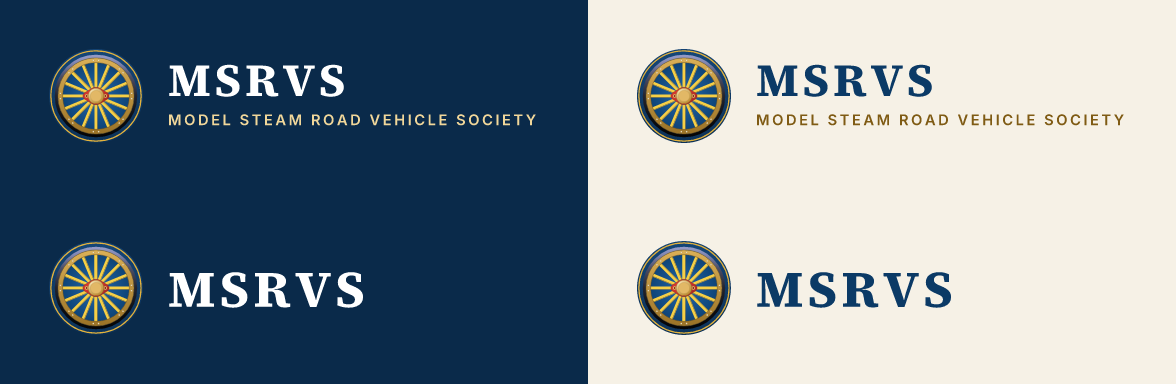

| You're making | Use | Download |
|---|---|---|
| Most things: posters, letters, documents, websites | The logo: the wheel, MSRVS and the full name | On cream or white: PNG, SVG. On blue or a dark photo: PNG, SVG |
| Something small or narrow | The compact logo: the wheel and MSRVS | On cream or white: PNG, SVG. On blue: PNG, SVG |
| A square space: a profile picture, a sticker, a badge | The wheel, on its blue disc | PNG, SVG, Facebook profile picture |
| Something formal: a programme cover, a certificate, a banner | The emblem | PNG, SVG |
| One colour only: embroidery, engraving, a rubber stamp | The one-colour wheel | Blue, black, white (SVG) |














Which file? PNG works almost everywhere: Word, PowerPoint, Canva and Facebook. Send SVG to printers and sign makers, because it stays sharp at any size. Every other file is in the file list.
Using the logo#

- Leave space around it: a quarter of the wheel's width on every side (the small square in the picture above). Around the emblem, leave an eighth of its width.
- Don't make it smaller than this:
| Artwork | On screen | In print |
|---|---|---|
| Emblem | 180 px wide | 40 mm wide |
| Mark | 24 px (16 px only as a favicon) | 8 mm |
| Lockup with the full name | 56 px tall | 15 mm tall |
| Compact lockup | 28 px tall | 8 mm tall |
| One-colour mark | 24 px | 8 mm; 40 mm for embroidery |
- Use it as it is. Don't stretch, squash, rotate or recolour it, redraw it or retype the name, or add shadows or outlines.
- Keep it readable. Use the dark-lettered logo on cream or white and the white-lettered one on blue. Don't put it straight onto a busy photo: darken the photo first, or put the logo on a plain panel.
Fonts#
| Font | Use it for | Download |
|---|---|---|
| Source Serif 4 | Headings | Google Fonts |
| Inter | Everything else | Google Fonts |
Both are free for any use, including print.
To install them:
- Open each link above and choose Get font, then Download all.
- Unzip the download and open the static folder inside it. Those are the files to install.
- On Windows, select the files, right-click and choose Install. On a Mac, double-click each file and choose Install Font.
- Restart Word, PowerPoint or whatever you're using. The fonts will then be in its font list.
Can't install fonts? Use Georgia for headings and Arial for everything else. Both are on almost every computer.
Sizes#
| Text | Font | In print | On screen |
|---|---|---|---|
| Headings | Source Serif 4 Bold | 18–36 pt | 26–62 px |
| Body text | Inter Regular | 9.5–11 pt | 16 px |
| Captions and small print | Inter Regular | 8–9 pt | 14 px |
- Write headings in sentence case: "Join the Society", not "Join The Society" or "JOIN THE SOCIETY".
- Give text room: don't fill every corner.
Photos#
- Use real photos of members' engines and club events.
- Big things such as banners and website headers need photos at least 2400 pixels across; for everything else, 1200 pixels is enough.
- Ask the photographer before using a photo, and credit them. Check that anyone recognisable is happy to appear, and for under-18s get a parent's or guardian's permission in writing.
- Never put text straight onto a photo: darken it first, or put the text on a plain panel.
Writing the name#
- Model Steam Road Vehicle Society in full, MSRVS for short (no full stops), and "the Society" in sentences.
- Use British English.
Printing#
Send the printer the SVG or PDF artwork, with the hex colours above. If the colours matter, ask for a proof first: brass in particular can print flatter and browner than it looks on screen.